The menu is the order.
Transcript
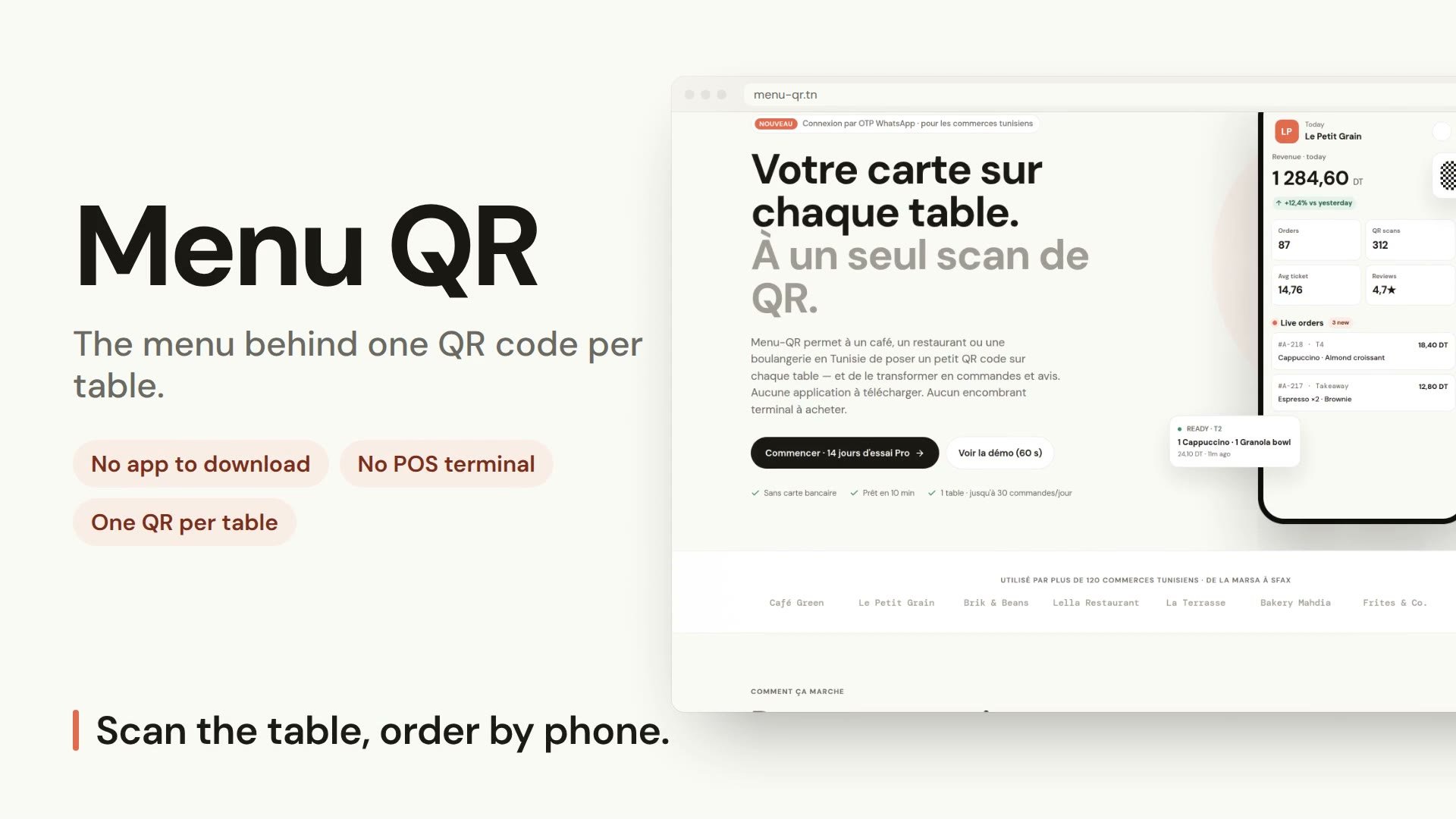
A paper menu dies the day a price changes. Menu QR puts the whole menu behind one code per table. Diners scan, the kitchen sees the order, and nobody installs anything. Scan table four at Café Green and the menu opens in the browser. Switch to Arabic and the whole page flips right to left. Pick a cappuccino, choose the milk, and send it to the kitchen. Seconds later it's a ticket on the board, under the right table. The hard part: one codebase serves every venue. Each table's code names the venue and the table, and it's signed. The server verifies that signature before it touches the database. Then the storefront renders in the venue's own design, one of twenty-eight. And the kitchen board polls for new tickets every three seconds. Full write-up at benarfa.com.
Film made with Remotion 4.0.539 · Voice: Kokoro-82M · af_heart (open source) · Music: Happy Beats / Business Moves vol. 12 · Sascha Ende, ende.app (CC BY 4.0)
- Multi-tenant SaaS
- No app to download
- No POS terminal
- 28 storefront designs
The idea
Turn a printed menu into a sales channel.
Menu QR lets a cafe, restaurant, bakery, or bar put a QR code on each table and turn it into a live order — no app download for diners, no expensive POS terminal for owners. Each venue is an independent tenant with its own slug, menu, staff, and one of 28 built storefront designs auto-matched to its business type. Owners self-onboard with no payment step, edit their menu and watch orders land on a live kitchen/orders dashboard, and diners order from their phone in a trilingual storefront — English, French, and Arabic, with full right-to-left layout. It's built on Next.js 16 and React 19, with Prisma/PostgreSQL, Better Auth for passwordless sign-in, TanStack Query, react-hook-form, Zod, and a shadcn/Radix design system.
- The problem
- Restaurants needed contactless menus they could update in real time — without reprinting costs, an app-download barrier for diners, or a pricey POS terminal — and without taking on payment processing they didn't want.
- The answer
- An end-to-end platform: guided self-onboarding with no payment step, per-table QR codes, passwordless sign-in by magic link or one-time phone code, a menu editor, and a live orders and kitchen dashboard — all multi-tenant from day one, with 28 storefront designs auto-matched to a venue's business type.
The centrepiece
One menu. Three languages. A design per venue.
One menu, three languages, a design per venue — try it
Business type
Language
Atelier is the design onboarding picks for a restaurant; a venue can switch to any of the 28 later.
menu-qr.tn / dar-el-medina
● LIVE · OPEN NOW
Dar El Médina
— The menu
Mains
- Lamb couscous22 DT
- Merguez ojja16.5 DT
- Mixed grill28 DT
- Kamounia15 DT
Interface strings are the product's own translations. Menus are the starter template each business type gets at onboarding, with English names added here. Venue names are fictional.
Follow one order
From scan to kitchen in three steps.
CAFÉ EXEMPLE
menu-qr.tn/r/cafe-exemple
illustration
Build your menu
Start from the starter template or blank — add photos, prices, and options; every change is live on the table QR the moment it saves.
One QR per table
Generate a unique code for every table; print it yourself or order pre-printed cards.
Orders at the table
Guests scan and order from their phone — tickets hit the kitchen display the moment they’re placed.
La carte
What’s on the menu
— La carte —
Passwordless sign-in
no passwordA one-time code by phone or a magic link instead of a password — less friction, less drop-off.
Live menu editor
real-timePhotos, allergens, options — every change is live on the table QR the moment it saves.
Live orders & kitchen
dashboardTickets stream to the kitchen display and an orders dashboard the moment a table places them.
English · French · Arabic
full RTLTrilingual storefronts with proper right-to-left layout, not a mirrored afterthought.
28 storefront designs
brandedFrom minimal to full editorial, auto-matched to the venue type at onboarding — the menu page reads like the venue, not like software.
Table 07
Scan · Order · Enjoy
No app. No wait.
In the wild
The product
Under the counter
Stack & expertise
Need software your customers never have to learn?
I partner with founders and small teams to ship production software, start to finish. Tell me what you’re building.
For hiring teams
Download CV (PDF)Working hours
Monday to Friday
09:00–19:00, Tunis time (GMT+1)